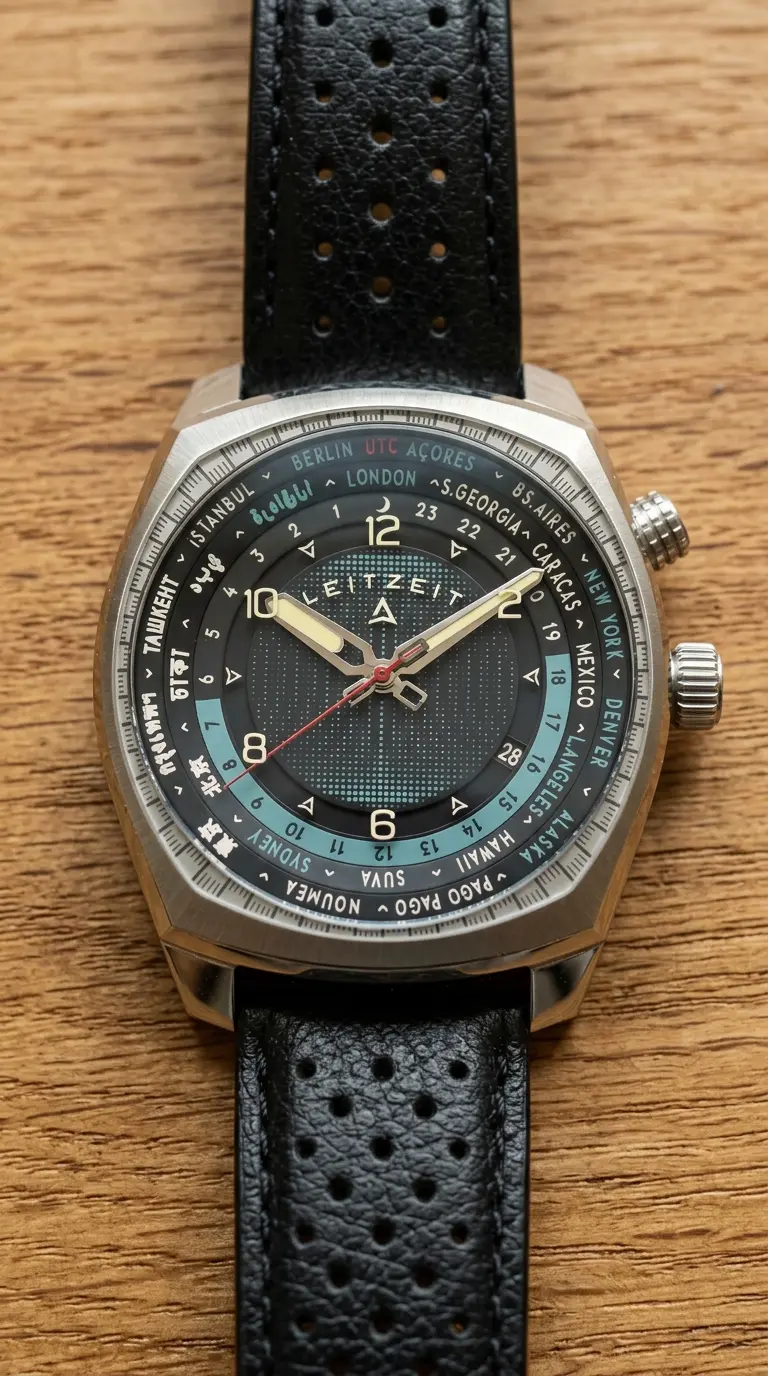

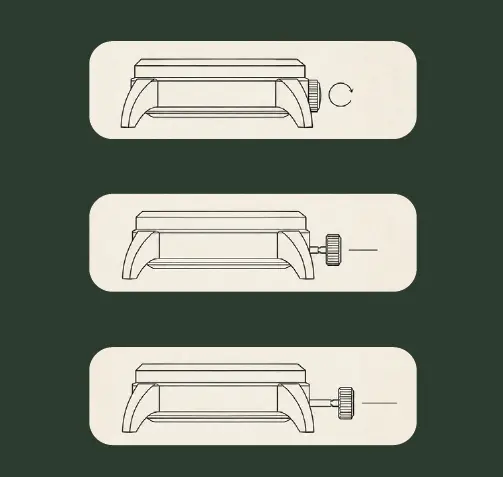
The Crown
0 - Winding: With the crown unscrewed and pressed in, turn it to wind the movement.
1 - Local Hour: Pull the crown to position 1 to adjust the local hour in one-hour increments.
2 - World Time: Pull the crown to position 2 to set the minutes and world time.
Important: After every adjustment, push the crown back to its normal
position and screw it down completely to protect the watch from moisture.
Setting the World Time
Start with setting the world-time, before you set your own time.
Day Light Saving Time Note: Some locations observe daylight saving time. The city on the world-time disc represents its standard time zone and may therefore differ from the current local time by one hour during daylight saving time.
Setting the City Disc
Unscrew the crown at 2 o’clock and rotate the city disc until your desired reference city is aligned with the 12 o’clock position.
Screw the crown back in firmly to maintain the watch’s water resistance.
Unscrew the Crown
Unscrew the crown at the 3 o'clock position and pull it all the way out to Position 2.
Setting the world time
Turn the crown until the 24-hour world time disc indicates the correct time.
During this step you can ignore the date or the hour hand; but make sure to set the minutes hand correctly.
Setting your local time and date
i. Pull the crown to Position 1 and turn it to set the local hour.
The local hour hand can be moved independently in one-hour increments.
Make sure you set the correct AM or PM time, as the date changes at midnight.
ii. To change the date, continue turning the crown forward; the date advances when the local hour passes midnight.
Repeat this until the correct date appears in the date window.
Important Note: When adjusting the local time backwards between 21:00 and midnight, continue turning the crown until the date changes to the previous day.